How to catch underreported progress on a builder's risk policy
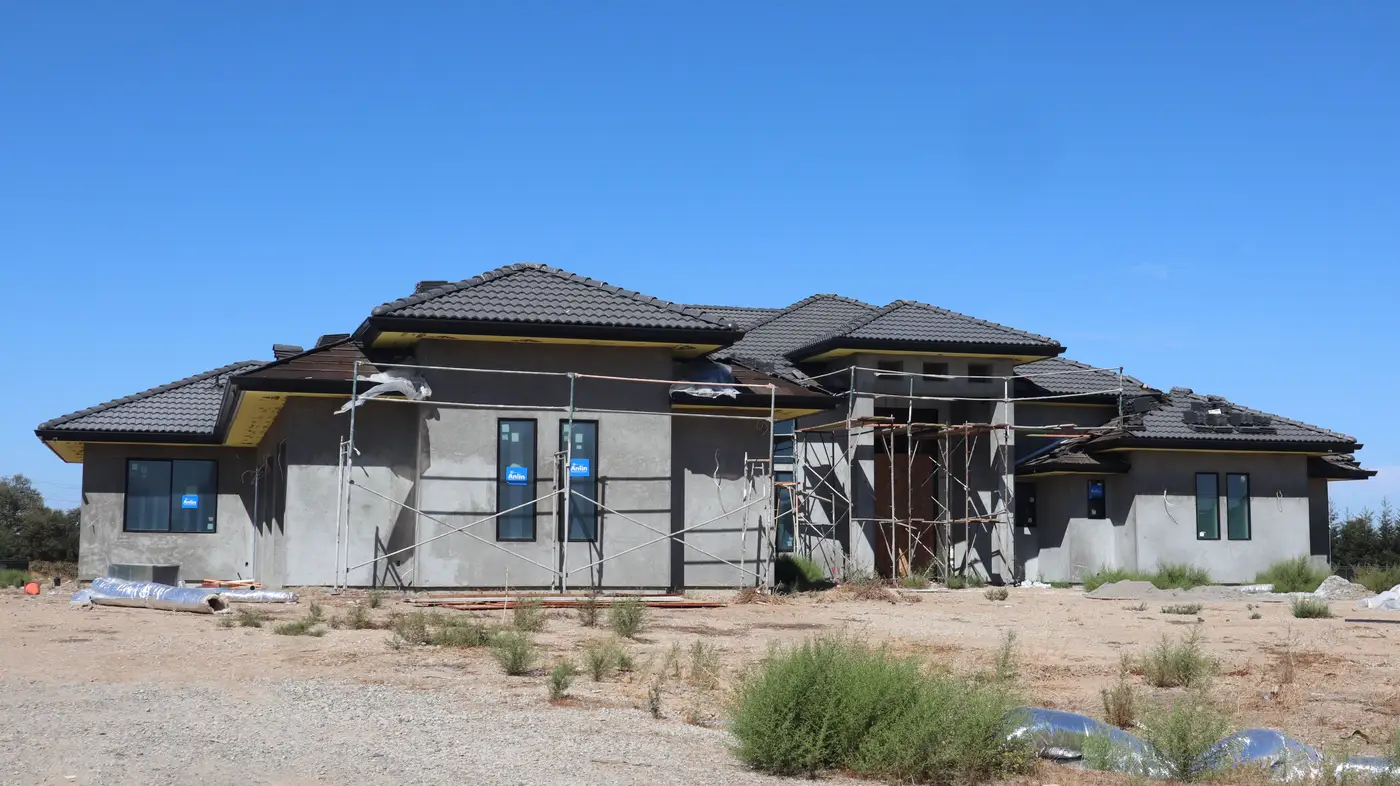
A builder's risk file runs on the contractor's word. The general contractor or developer sends in a percentage complete, a pay application, and a handful of phone photos, and that number sets your exposure basis for the policy term. Most of the time it's close enough. Some of the time it isn't, and the gap doesn't show up until a loss happens and the adjuster is standing on a site that looks nothing like the file.
Underreporting usually comes from schedule optimism rather than anything deliberate. A pay app gets rounded up to keep the draw moving. A super calls the job "basically framed" six weeks before it is. A stage-of-completion field sits untouched for a reporting cycle after a change order pushes the framing package back. Whatever the cause, the effect on your side of the desk is the same. The insured value and exposure basis on file don't match what's standing on the ground, and you're carrying that mismatch until someone notices.
Where self-reported progress tends to drift
A few patterns show up often enough to be worth watching for in any active file:
- Pay app percentage vs. actual framing. Draw requests are built around cost incurred, not physical completion. A contractor can be "60% complete" on cost while the building envelope is nowhere close, especially on projects with expensive early-stage items like site work, deep foundations, or imported materials sitting in a laydown yard.
- Stalled footprint, moving paperwork. On multi-building projects it's common for one or two buildings to sit idle for months while the overall project narrative keeps moving forward in reports. The aggregate percentage looks fine; the individual structure doesn't match.
- Security claims that outrun the fence line. Reports describing a secured site are easy to write and hard to verify from a desk. A perimeter fence shown in a submission photo six months ago tells you nothing about what's enclosed today.
- Change orders that reset the clock without resetting the file. Scope additions, redesigns, and material substitutions change the completion curve, but the update to the file often lags the update to the schedule by a full reporting cycle or more.
Self-reported numbers drift in one direction more often than the other, toward progress that sounds further along than it is.
What to pull for a file audit
A builder's risk file audit doesn't need to turn into a site visit every time. Before escalating to a call or an inspection, check a short list against what's on the file:
- Date stamp on the last verified progress update. Not the date the report was filed, the date the underlying information was current.
- Footprint change over the reporting period. Has the building envelope grown since the last check-in, or has the narrative moved while the structure hasn't?
- Visible perimeter security status. Fencing, gates, and site access, compared against what was represented at binding or at the last renewal.
- Consistency across buildings on multi-structure projects. An aggregate percentage can hide a single building that's badly behind, which matters a lot if that's the building that burns.
Pulling an independent read on a project, built from outside the project office, gives you a second line on the file to set next to the contractor's update and see where the two agree and where they don't.
A monthly stage-of-completion read built from repeat overhead imagery gives you that second line: a site-map overlay you can file alongside the contractor's progress update, so a mismatch surfaces on the next cadence instead of after a loss. If you'd rather start checking a file against an independent read than wait for the next renewal cycle to raise questions, Builder's Risk Monitor is built around exactly that monthly comparison.